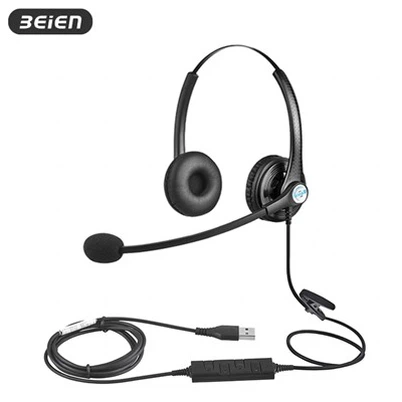
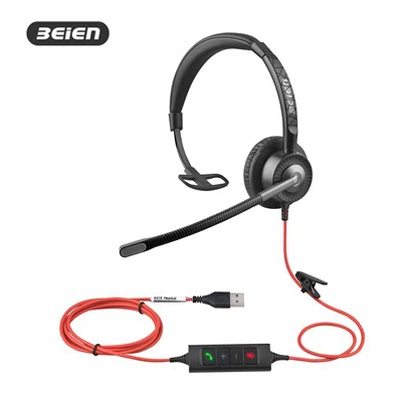
How to optimize the performance of a binaural contact center qd headset?
Leave a message

Hey there! I'm a supplier of binaural contact center QD headsets, and I've seen firsthand how crucial it is for these headsets to perform at their best. In this blog, I'll share some tips on how to optimize the performance of a binaural contact center QD headset.
1. Choose the Right Headset for Your Needs
First things first, you need to pick the right headset. We offer a variety of options, like the Dual QD Headset with Noise Cancellation Mic. This bad boy comes with a noise - canceling mic, which is a game - changer in a noisy contact center environment. If you prefer a wired option, the Wired Dual Ear QD Headphone is a solid choice. It provides a stable connection and great sound quality. And for those who need quick and easy plug - ins, the QD Quick Plug Interface Dual Headset is perfect.
When choosing, consider factors like the type of calls you'll be handling. If it's mostly customer service calls where clear communication is key, a headset with good noise cancellation and voice clarity is essential. Also, think about comfort. Agents often wear headsets for long hours, so a comfortable fit is a must.
2. Proper Fit and Adjustment
Once you've got the right headset, getting the proper fit is super important. A poorly fitting headset can lead to discomfort and, more importantly, affect audio quality. Most of our binaural QD headsets come with adjustable headbands and ear cups. Make sure the headband is adjusted so that the headset sits snugly on the head without being too tight.
The ear cups should cover the ears completely. If they're not covering the ears properly, outside noise can leak in, and the sound from the headset might not be as effective. Some headsets also have adjustable microphones. Position the microphone close to your mouth, usually about an inch or two away. This helps in picking up your voice clearly and reduces background noise.
3. Keep the Headset Clean
Cleanliness is next to godliness, right? Well, it's also important for headset performance. Over time, dirt, dust, and earwax can build up on the ear cups, headband, and microphone. This can not only be unhygienic but also affect the sound quality.
For the ear cups, use a soft, damp cloth to wipe them down regularly. You can also use a mild cleaning solution, but make sure it's safe for the headset material. For the microphone, be extra careful. A small brush can be used to gently remove any debris from the microphone grille. And don't forget to clean the headband as well. A dirty headband can cause discomfort and might even affect the fit of the headset.
4. Optimize Audio Settings
Most contact center systems and devices allow you to adjust audio settings. Take the time to play around with these settings to get the best sound quality. You can adjust the volume of the headset, the balance between the left and right ear cups, and sometimes even the equalizer settings.
If the audio seems too bass - heavy or too treble - heavy, use the equalizer to fine - tune it. Also, make sure the volume is set at a comfortable level. Too high a volume can cause hearing damage over time, and too low a volume means you might miss important information during calls.
5. Update Firmware Regularly
Just like your phone or computer, headsets often have firmware that can be updated. These updates can bring new features, bug fixes, and performance improvements. Check the manufacturer's website regularly for firmware updates for your binaural contact center QD headset.
Updating the firmware is usually a straightforward process. You might need to download a software tool from the manufacturer's website and connect your headset to your computer. Follow the instructions carefully, and you'll have the latest firmware installed in no time.
6. Use Quality Accessories
Using quality accessories can also enhance the performance of your headset. For example, if you're using a wired headset, a good quality cable can make a difference. A damaged or low - quality cable can cause signal interference, which affects the sound quality.
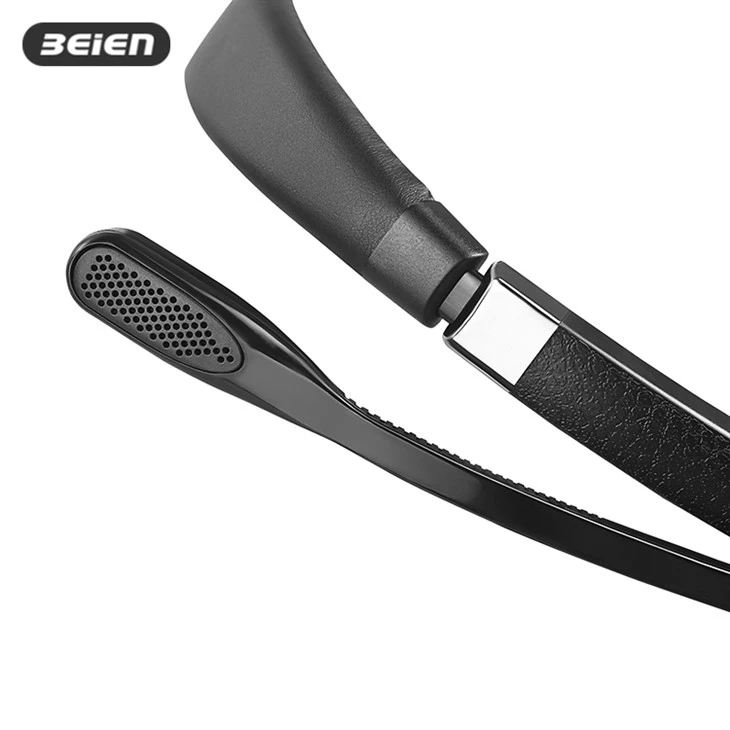

Some headsets also support additional accessories like boom microphones or noise - canceling adapters. These accessories can further improve the performance of the headset, especially in noisy environments.
7. Train Your Agents
Your agents are the ones using the headsets on a daily basis. Training them on how to use the headsets properly can go a long way in optimizing performance. Teach them about the proper fit, how to adjust the audio settings, and how to keep the headset clean.
Also, train them on how to handle the headset gently. Rough handling can lead to damage, which affects performance. For example, tell them not to yank the cable when disconnecting the headset or to be careful when adjusting the headband and ear cups.
8. Regular Maintenance and Inspection
Set up a regular maintenance and inspection schedule for your headsets. This can help you catch any potential problems early on. During the inspection, check for any visible damage to the headset, such as cracks in the ear cups, frayed cables, or loose connections.
If you notice any issues, address them immediately. A small problem can quickly turn into a big one if left unattended. For example, a loose connection can cause intermittent audio problems, which can be frustrating for agents and customers alike.
9. Troubleshoot Common Issues
Even with the best care, you might encounter some common issues with your binaural contact center QD headset. Here are some tips on how to troubleshoot them:
- No sound: First, check the volume settings on the headset and the device it's connected to. Make sure the headset is properly plugged in. If it's a wireless headset, check the battery level and the pairing with the device.
- Poor sound quality: Check for any dirt or debris on the ear cups, microphone, or cable. Also, try adjusting the audio settings. If the problem persists, it might be a hardware issue, and you might need to contact the manufacturer for further assistance.
- Microphone not working: Check the microphone position and make sure it's not muted. If it's still not working, try testing the microphone on another device to see if the problem is with the headset or the device.
10. Consider the Environment
The environment in which the headset is used can have a big impact on its performance. In a noisy contact center, for example, a headset with good noise cancellation is essential. If the environment is too hot or too cold, it can also affect the battery life of wireless headsets or the performance of the headset components.
Try to create a comfortable and quiet working environment for your agents. If possible, use sound - absorbing materials in the contact center to reduce background noise.
Conclusion
Optimizing the performance of a binaural contact center QD headset is a combination of choosing the right headset, proper fit and adjustment, maintenance, and using the right settings. By following these tips, you can ensure that your agents have a great experience using the headsets, which in turn leads to better customer service.
If you're interested in purchasing our binaural contact center QD headsets or have any questions about optimizing their performance, don't hesitate to reach out. We're here to help you get the most out of your headsets and improve your contact center operations.
References
- General knowledge on headset technology and contact center operations.
- Manufacturer's guides and specifications for binaural contact center QD headsets.